The Update Status Report provides a summary of Products and their update status. This report provides a snapshot view of how many documents have or have not been updated and why. Also included in the report are the details for each Product contained in the report. This report exports a delimited file which may in turn be converted into spreadsheet software such as Excel.
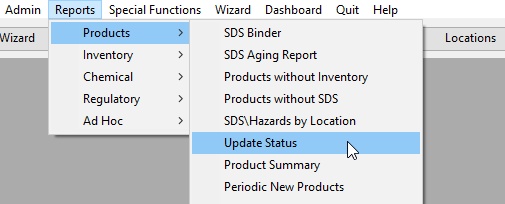
To launch the report:
If desired, select a Location and other options.
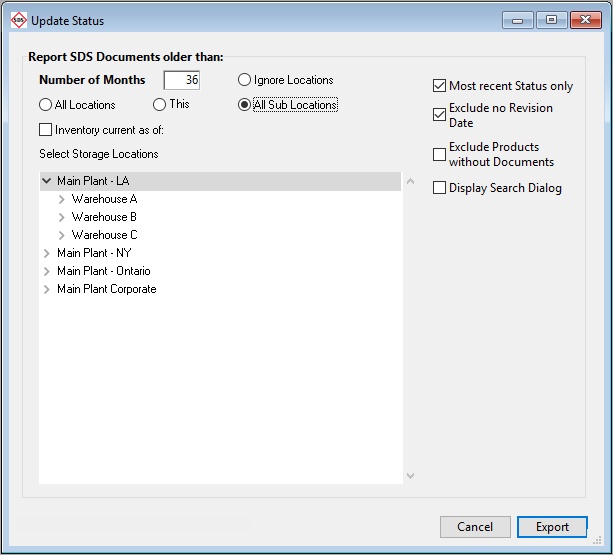
Click Export. You will be prompted to save the export file which may be opened in Excel.