Inventory Review Report - This section will help you to know which locations have been reviewed or are still awaiting review. This report is used with the Web Inventory Management (WIM) feature (see Web Inventory Manager section for further instructions).
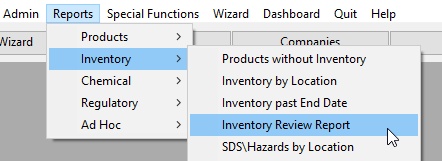
To launch the report:
Either select the Number of Months, or enter the start Date.

Select Locations to include.
A.Check Current Locations check box to include locations that have been reviewed in the specified time frame.
B.Check Not Current Locations check box to include locations that have not been reviewed in the specified time frame.
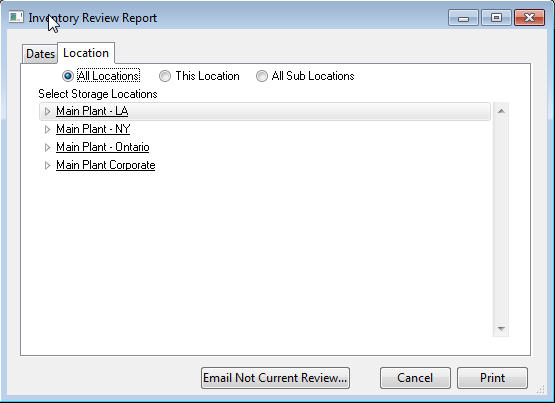
Select the Location tab to determine with locations to search.
A.Choose All Locations to run the report on all locations.
B.Choose This Location to run the report on only the highlighted location.
C.Choose All Sub Locations to run the report at the highlighted location and all its child or Sub Locations.
E-mail Reviewers (that are not current): For each location that is not current, the system will send an e-mail to all Administrators for that location. Edit Email List to add employee not showing.
Click Print to print the report.