Inventory by Chemical Flag - locates products containing chemicals with a specific Boolean flag set. Results may be filtered to a subset of locations and to a specific inventory date range. Results may optionally be saved to tab delimited text file for further processing in other applications.
To launch the report:
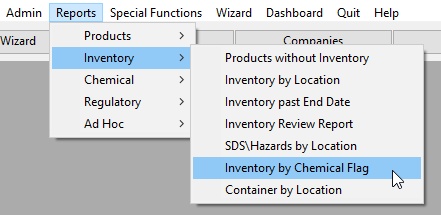
Check Inventory current from check box to select which locations to include
A.Choose All Locations to run the report on all locations.
B.Choose This Location to run the report on only the highlighted location.
C.Choose All Sub Locations to run the report at the highlighted location and all its child or sublocations.
Select Chemical Flag from drop-down list box. Results will include Products without Inventory:
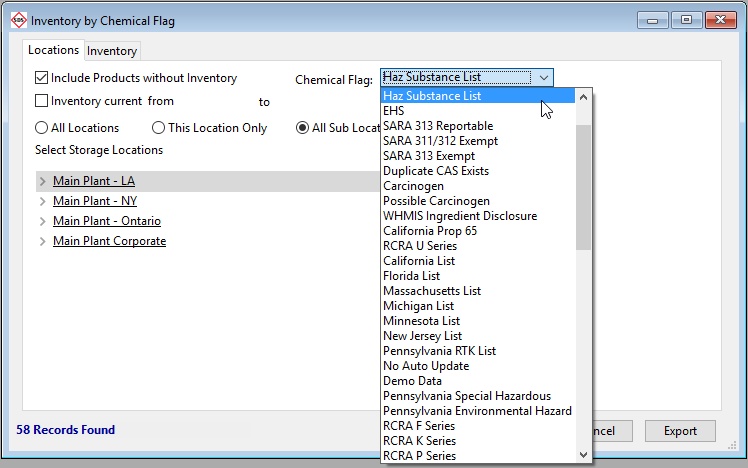
Click Search to generate the results, after choosing a Chemical Flag in the drop down box (this instance used Haz Substance List).
Click on the Inventory tab to view the results.
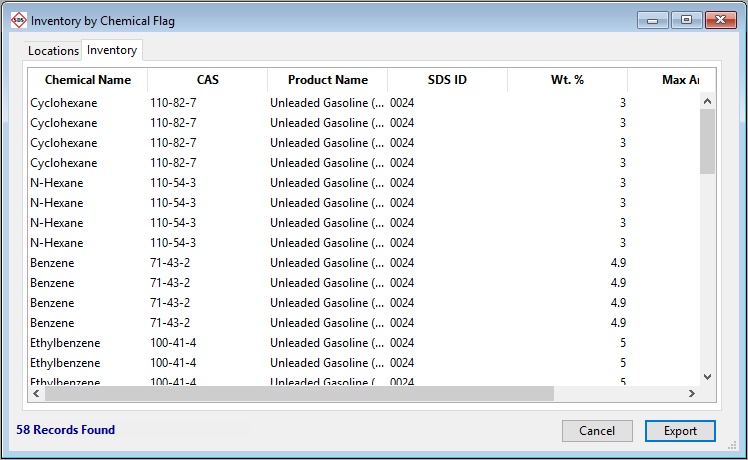
Select Export to save to a delimited file that may be opened in Excel.