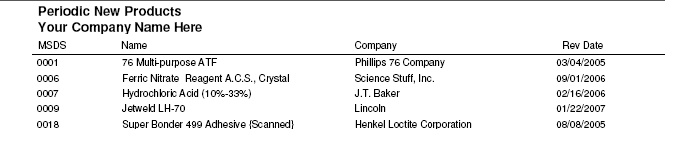
SDSpro allows the Database Administrator to find Products which have been added during a specific time period. For instance, it may be necessary to know which Product records have been added during the first three months of the current year for Emergency Response planning.
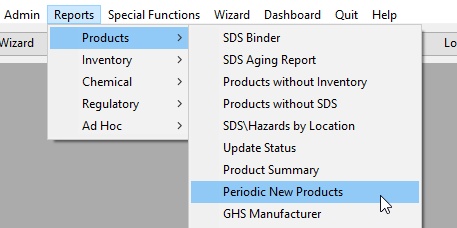
To launch the report:
Enter the Period Begin date and the Period End date. By default, the Product Start Date is used.
Check Use Date Entered to generate the report based on the Product Date Entered.
Check Include reviewed Documents to include Products where the Product Review Date falls within the time period.
Choose to Print SDS Documents if it is necessary to also have all documents in addition to the listing of the Product Names, Manufacturer Names, and Revision Dates.
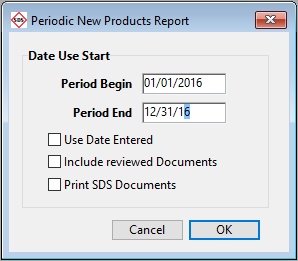
Click OK to Print.