If you are a SDSpro Hosted customer, this is already managed for you.
These instructions are for customer installed systems only.
If the SDSpro Web Server is to be accessed from outside the local network, a Domain Name or External IP may be used.
For example, your SDSpro application is installed on a machine with the IP address of 192.168.1.12. The IP address is internal and cannot be accessed outside the network. You would like employees to access the web interface using http://sdspro.mycompany.com
Also, if you plan to use of QR Codes  on labels for direct access to SDS documents, a Domain Name is recommended so a change in the server's IP address does break the QR code.
NOTE: sdspro.mycompanyname.com must be configured to point to the machine SDSpro resides on. Consult with your IT for assistance.
The External Domain Name is entered in the Web Server Configuration.
To launch the Web Server Configuration:
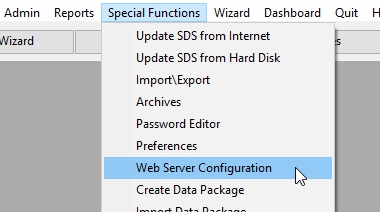
The Web Server Control Panel will be shown. To change any values, the Edit button must first be clicked.
